What is Vector Database?
A vector database is a specialized database system that stores, manages, and indexes high-dimensional vector data, representing data points as vectors, which are numerical representations. This allows for efficient similarity searches and retrieval of similar data points.
Key Features and Concepts of Vector Database
Vector Embeddings:
Data points are converted into numerical vectors, capturing their meaning or features.
High-Dimensional Data:
Vector databases are designed to handle data with many dimensions, making them well-suited for unstructured data like text, images, and audio.
Similarity Search:
The primary function is to find data points that are most similar to a given query vector.
Indexing:
Vector databases use advanced indexing techniques to enable fast similarity searches.
Applications:
They are used in various applications, including recommendation systems, semantic search, image and document retrieval, and more.
What is Chroma Database
Chroma is an open-source AI application database with built-in features like embedding, vector search, document storage, full-text search, metadata filtering, and multi-modal capabilities, offering comprehensive retrieval in one place.
Features of Chroma Database
- Simple and powerful: With Chroma, you can seamlessly move from initial notebook experimentation through prototyping and iteration to final production deployment.
Getting started is as easy as pip install...
- Full featured: Chroma offers a full suite of retrieval functionalities: vector search, document storage, metadata filtering, full-text search, and multi-modal retrieval.
- A wide range of programming languages are supported, including JS, Python, Java, PHP, and additional options
- Free and open source: Open source under Apache 2.0
- Integrated: Pre-integrated embedding models from leading platforms such as HuggingFace, OpenAI, and Google are included. It also offers seamless integration with Langchain and LlamaIndex, and the addition of further tool and framework support is planned. You'll find built-in embedding capabilities powered by models from HuggingFace, OpenAI, Google, and more. It's designed to work smoothly with Langchain and LlamaIndex, and we're actively adding support for other tools and frameworks.
How to use?
Chroma allows you to install it either locally within a project or globally on your machine.
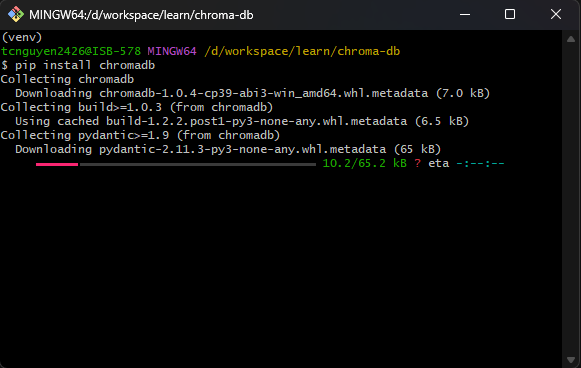
The article describes a local installation. Install Chroma Database by command line.
Then run Chroma Database by CLI
chroma run
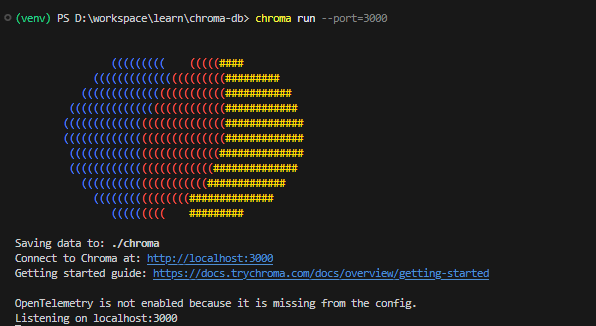
The Chroma database is started at http://localhost:3000. So, we can create a Python file to use the Chroma database like this:
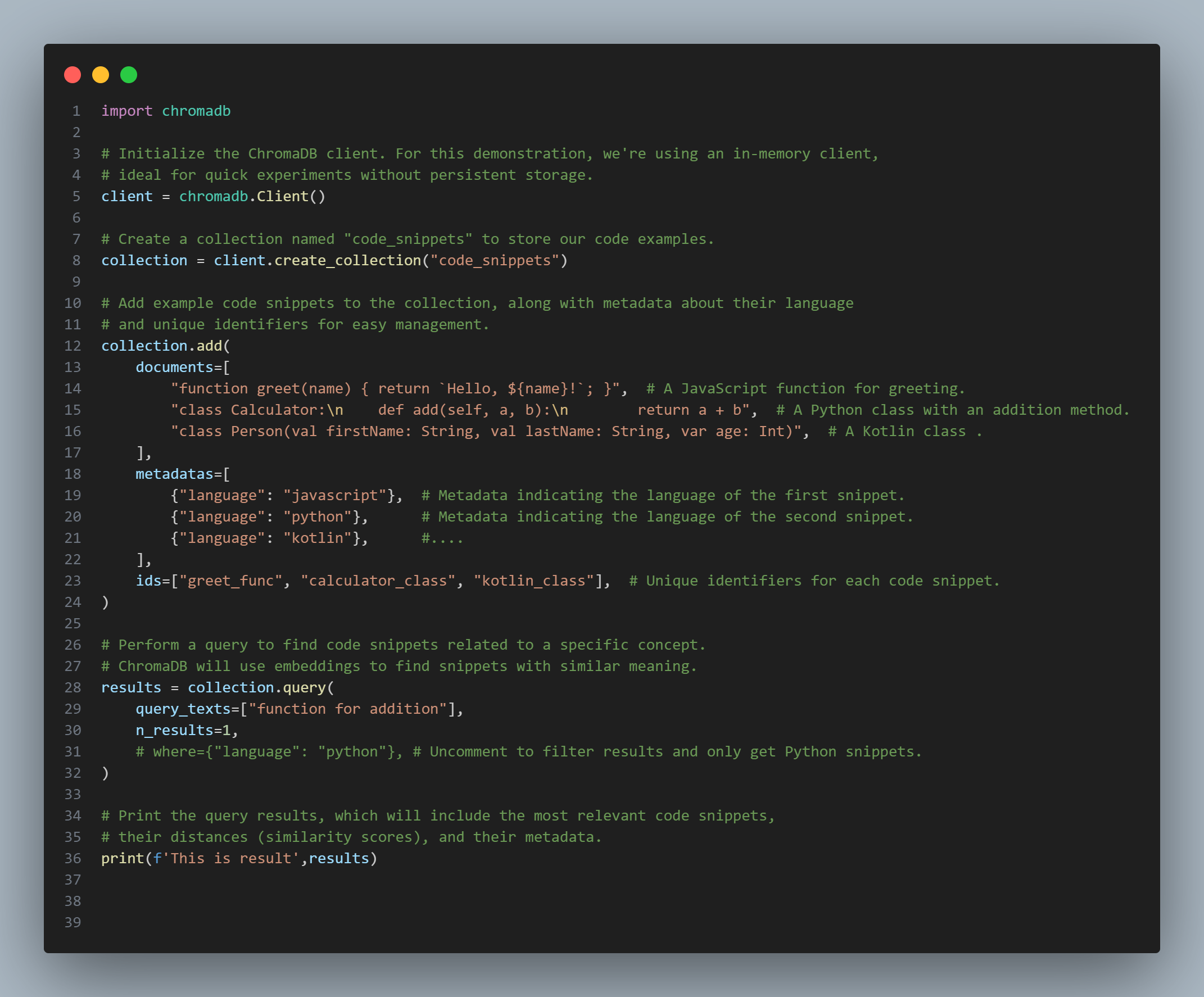
Step 1: Import the ChromaDB Library
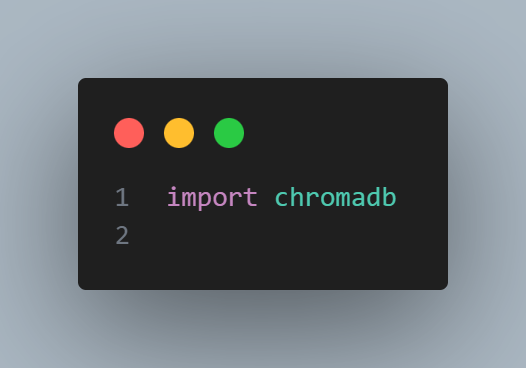
The first line of code simply imports the chromadb library so that we can use the functions it provides.
Step 2: Initialize the ChromaDB Client
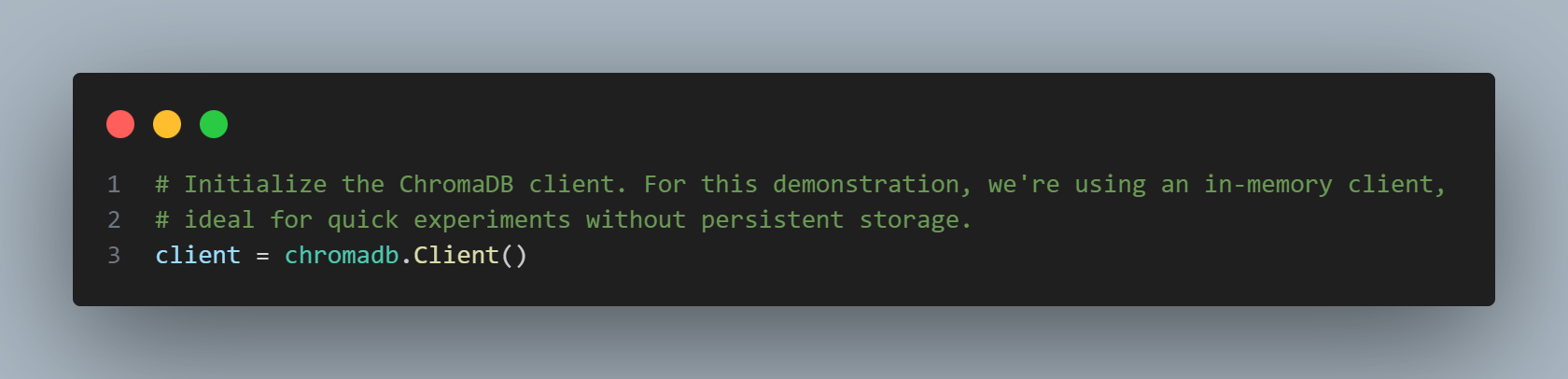
Here, we create an instance of the Client. In this example, we are using an in-memory client. This means that the data will be stored temporarily in the computer's memory and will be lost when the program ends. This is an ideal choice for quick experiments without needing to set up a complex storage system.
Step 3: Create a Collection
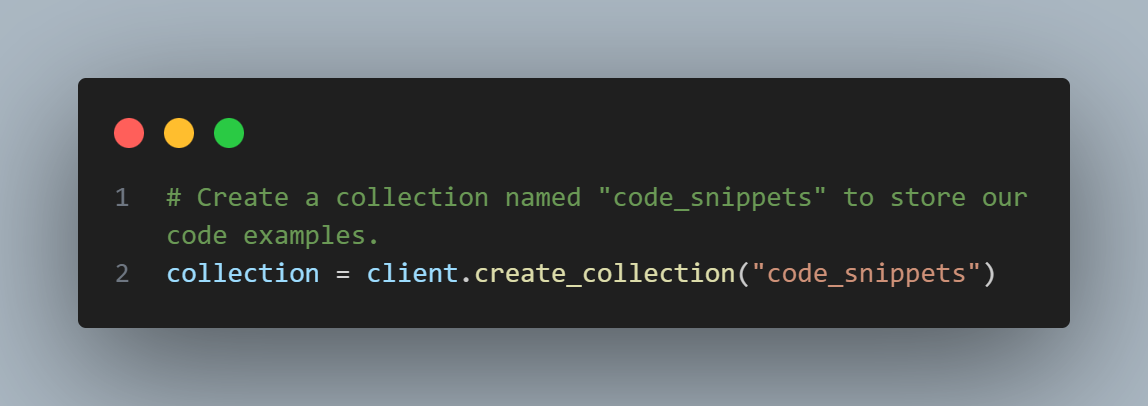
Next, we create a collection (similar to a table in a relational database) named code_snippets. This collection will hold the example code snippets that we want to store and query.
Step 4: Add Data to the Collection
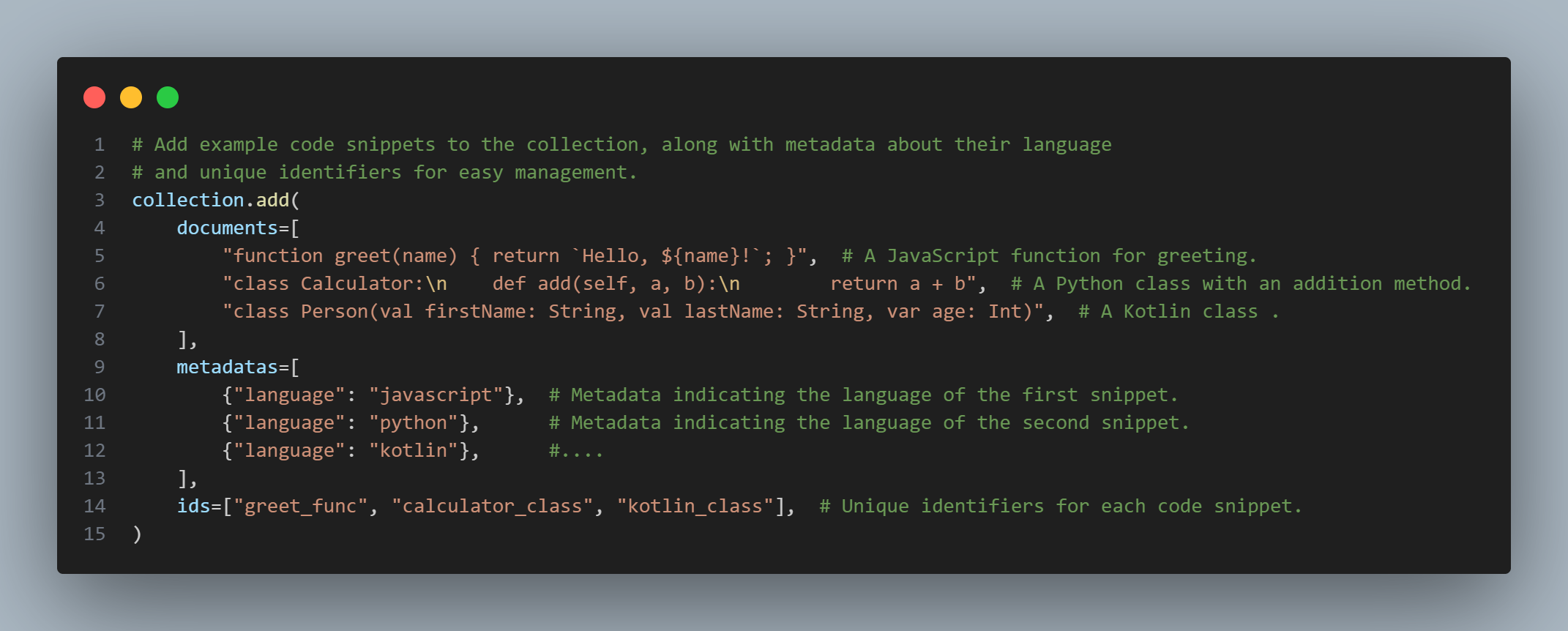
This is the crucial part where we add data to the collection:
• documents: A list containing the code snippets (as text strings) that we want to store. In this example, we have a JavaScript function for greeting and a simple Python class with an addition function.
• metadatas: A list of dictionaries containing additional information (metadata) about each corresponding document. Here, we store information about the programming language of each code snippet. Metadata is very useful for filtering and categorizing data later.
• ids: A list of unique string identifiers for each document. Providing IDs helps us easily manage, update, or delete specific documents in the collection.
Step 5: Perform a Query
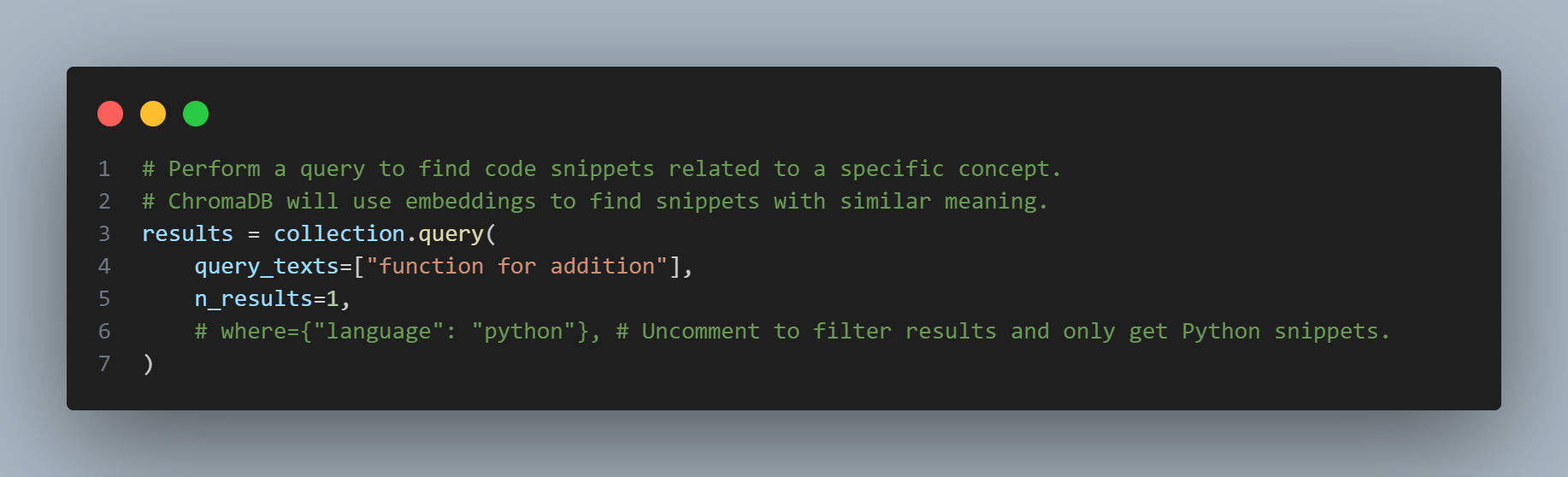
With the documents added to ChromaDB in step 4, you can preview them below:
"function greet(name) { return `Hello, ${name}!`; }",
"class Calculator:\n def add(self, a, b):\n return a + b",
"class Person(val firstName: String, val lastName: String, var age: Int)",
In this step, we perform a query to search for code snippets related to function for addition. What's special about ChromaDB is that it doesn't just search based on keywords but also on semantics. It uses embedding models (either built-in or provided by you) to convert text into numerical vectors and then searches for the vectors closest to the vector of the query.
• query_texts: A list containing the query strings (in this case, only one).
• n_results: The number of desired results to return (here we want the single most relevant result).
• where: An optional parameter (commented out in the example) that allows you to filter results based on metadata. If you uncomment this line, it will only return code snippets where the language is python.
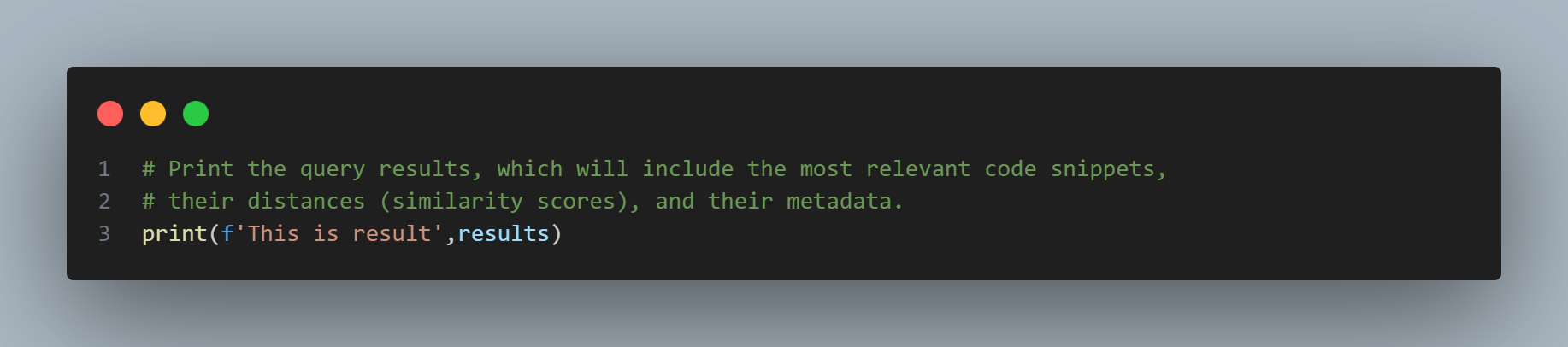
Step 6: Print the Results
The complete code is as shown in the image below:
Finally, we print the query results. These results typically include:
- documents: A list of the documents that best match the query.
- distances: A list of values representing the similarity (vector distance) between the query and the retrieved documents. A smaller distance indicates a higher similarity.
- metadatas: The corresponding metadata of the found documents.
- ids: The IDs of the found documents.
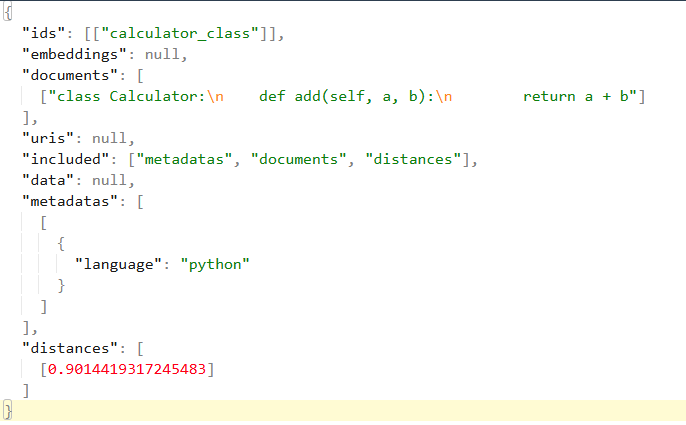
In summary, this result shows that when you queried ChromaDB with the question function for addition, the system identified the Python code defining the Calculator class (with the add method) as the most relevant result based on semantic similarity, and the distance between them is approximately 0.9014. This implies that, according to how ChromaDB embedded and compared the text, this Python code snippet has the closest meaning to the intent of your query.
Conclusion
The code snippet above illustrates a basic process for using ChromaDB: initializing the client, creating a collection, adding data (including content, metadata, and IDs), performing semantic queries, and viewing the results.
ChromaDB unlocks many exciting possibilities for applications that need to search and compare information based on meaning, from building intelligent question-answering systems to suggesting related content. This is just a small example, and you can explore many other powerful features of ChromaDB to serve your projects.
Reference
https://dbdb.io/
https://www.trychroma.com/
https://www.freepik.com/free-photo/website-hosting-concept-with-circuits_26412535.htm#fromView=search&page=1&position=0&uuid=0d1ab0c6-b18b-46a7-936f-c37891b433be&query=database (C0ver)


 Being a comtor is not just about translating—it’s about resolving tricky situations between Japanese clients and Vietnamese developers. Here are some real-life scenarios and smart ways to handle them!