

Welcome back to our series “From Zero to Digital Hero with Power Apps.”
In the previous post, you learned what Power Apps is and why it’s a game-changer for modern workplaces.
Now, it’s time to turn theory into action — we’ll build your very first app, using SharePoint as the data source.
https://isb-vietnam.net/blog/tech/what-is-power-apps-starting-your-digital-journey-from-zero-part-1/
1. Prepare Your Data in SharePoint
Before creating the app, we need a list that stores all our information.
Think of SharePoint lists like a smart Excel table — accessible online, collaborative, and ready to connect with Power Apps.
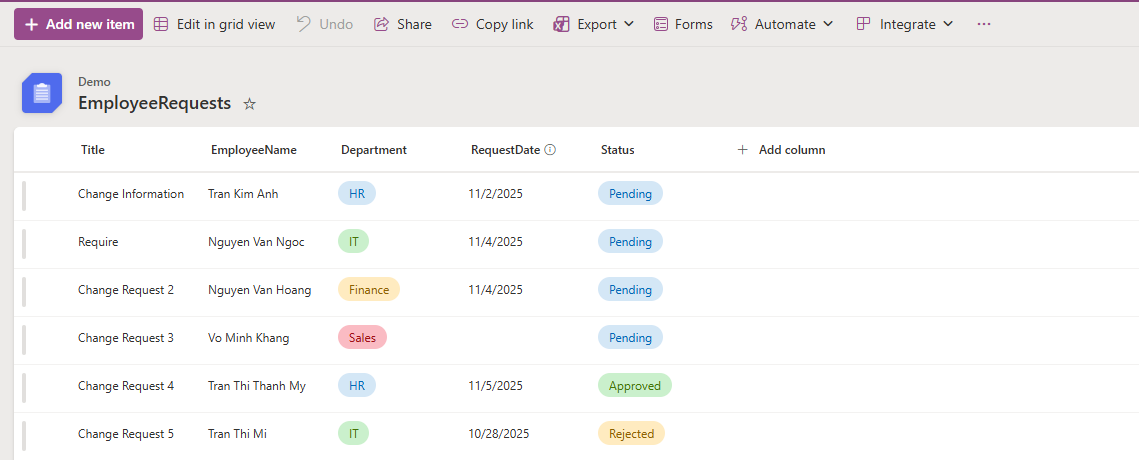
Example: Employee Requests list
How to create it:
-
Go to your SharePoint site (e.g., https://yourcompany.sharepoint.com/sites/team)
-
Click New → List → Blank list
-
Name it EmployeeRequests
-
Add columns:
-
Title – Request title (default column)
-
EmployeeName – Single line of text
-
Department – Choice: HR, IT, Finance, Sales
-
RequestDate – Date and Time
-
Status – Choice: Pending, Approved, Rejected
-
*Avoid spaces in column names (e.g., use EmployeeName instead of Employee Name) to prevent syntax issues in Power Apps.
2. Create the App Directly from SharePoint
Now comes the fun part — generating the app automatically!
-
Open your EmployeeRequests list in SharePoint.
-
On the top menu, select Integrate → Power Apps → Create an app.
-
Give your app a name, for example: Employee Request App.
-
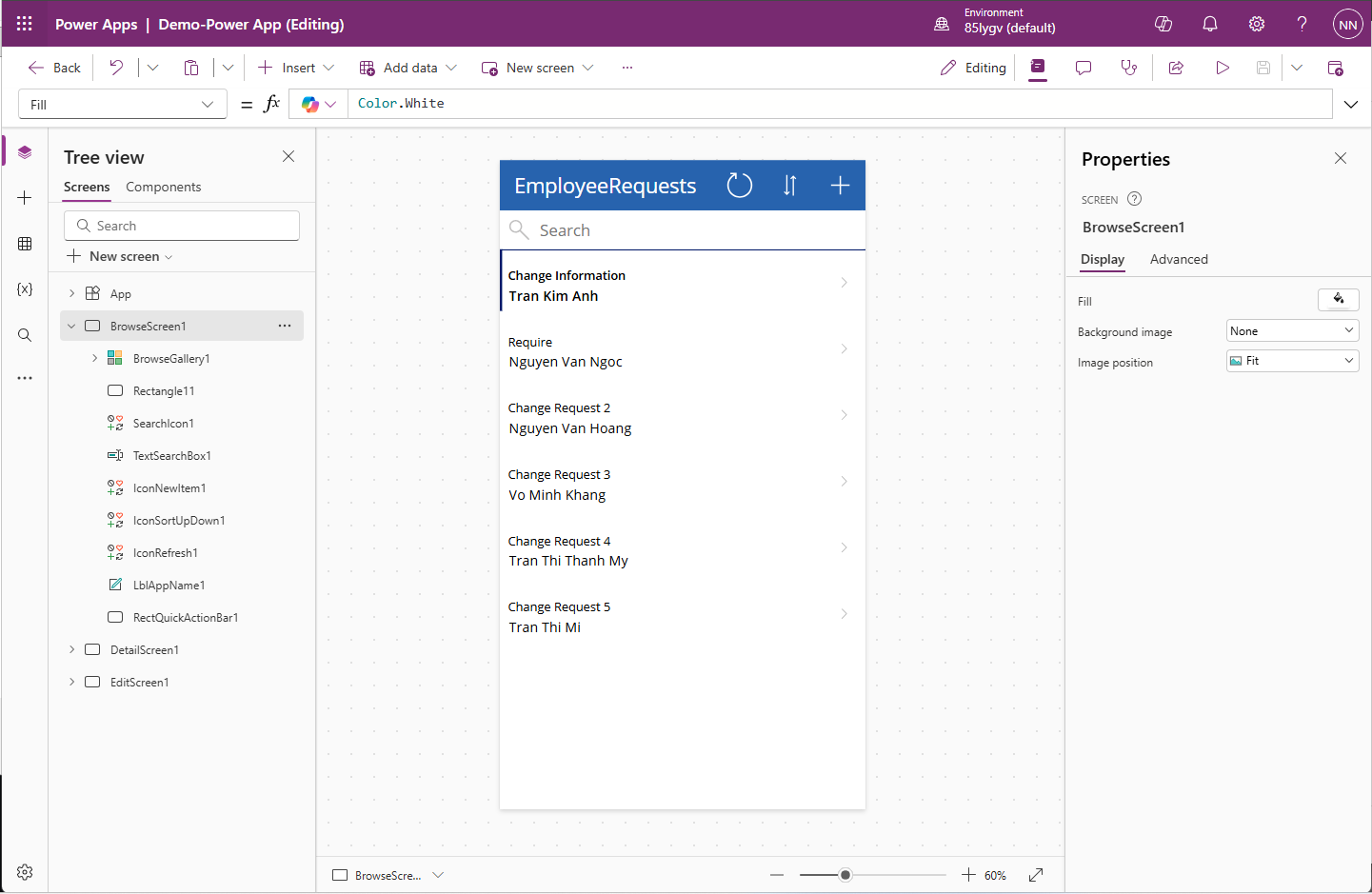
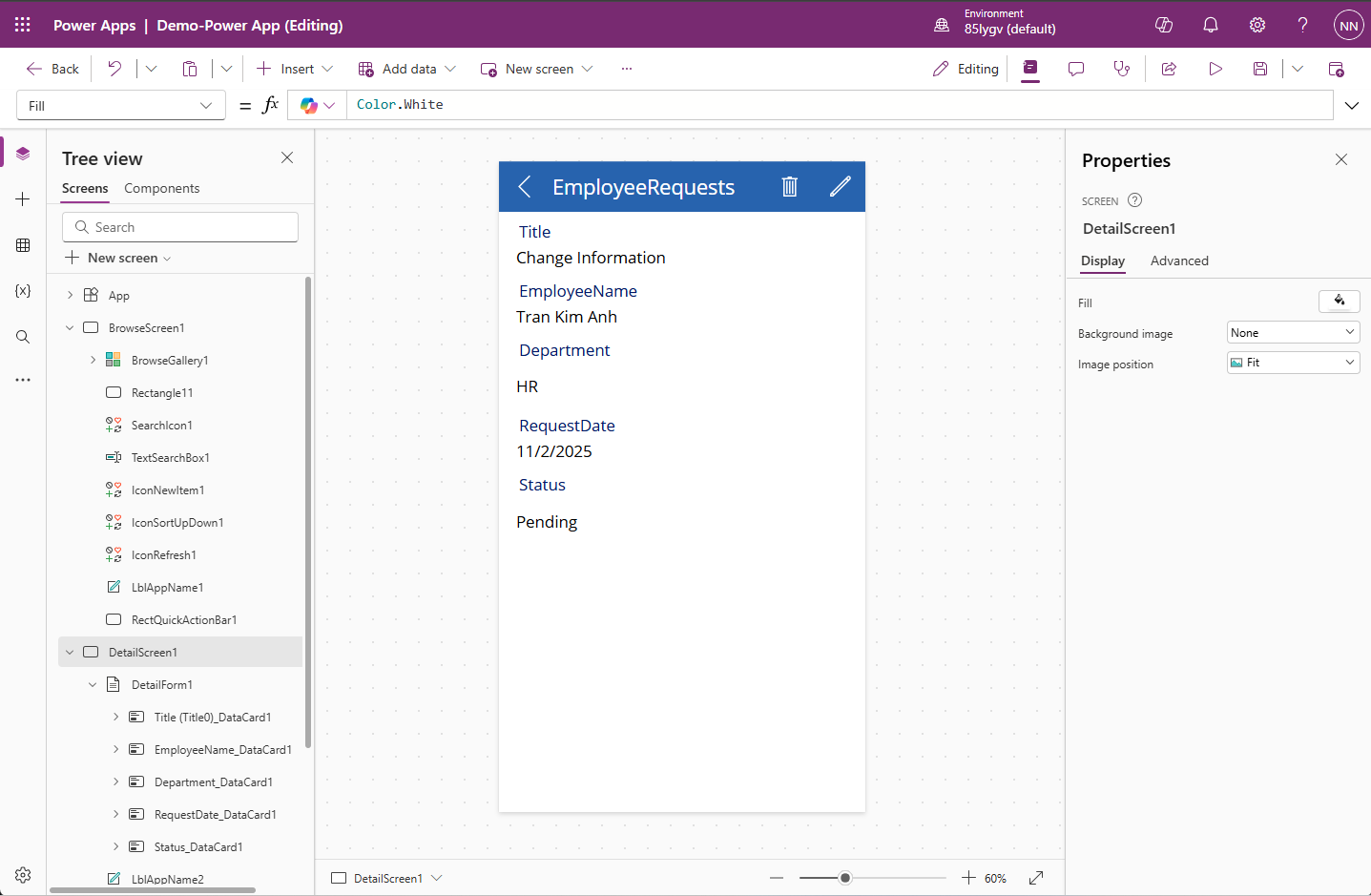
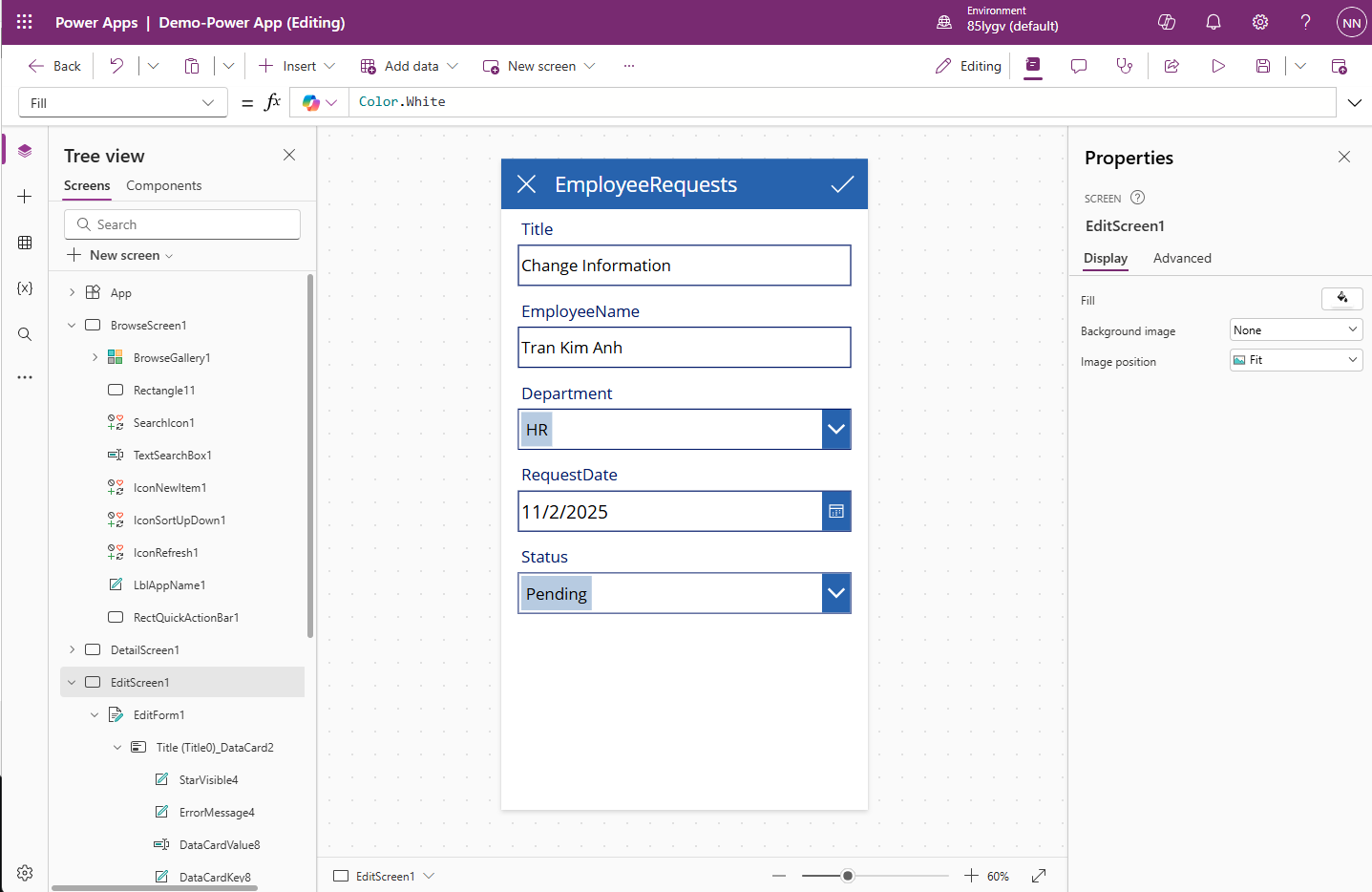
Wait a few moments — Power Apps will build your app with three default screens:
-
Browse Screen – View all requests
-
Detail Screen – View request details
-
Edit Screen – Create or modify a request
-
Behind the scenes: Power Apps automatically reads your list structure and builds a connected interface in seconds — something that used to take hours of coding!
3. Customize Your App
Once the app opens in Power Apps Studio, it’s time to make it yours.
-
Change the title:
Select the top label → Rename it to Employee Requests Management -
Adjust the layout:
Choose the gallery → Layout → Title and Subtitle -
Show the right fields:
-
Title = ThisItem.EmployeeName
-
Subtitle = ThisItem.Status
-
*Keep your design simple. End users prefer fewer clicks and clear labels — not fancy graphics.
4. Add More Data Connections (Optional)
Want to expand your app’s power?
Connect additional data sources like Microsoft Teams, Outlook, or another SharePoint list (e.g., Departments) for lookups.
How to do it:
Go to Data → Add data → SharePoint → Select your site → Choose the list.
5. Test and Share Your App
Click Play ▶️ to test your app.
Try these actions:
-
Create a new request
-
Update the status (Pending → Approved)
-
Delete a record
When ready:
-
Go to File → Save → Publish
-
Return to SharePoint
-
You’ll find your app under Power Apps → Apps
Share your success: Click Share to invite colleagues, or embed the app directly in your SharePoint page or Teams channel for daily use
Conclusion – You’ve Built Your First Power App!
Congratulations — you’ve just created a working app straight from a SharePoint list without writing a single line of code!
Whether you need scalable software solutions, expert IT outsourcing, or a long-term development partner, ISB Vietnam is here to deliver. Let’s build something great together—reach out to us today. Or click here to explore more ISB Vietnam's case studies.


