Recently, while working on a project, I had the chance to explore how a Retrieval-Augmented Generation (RAG) system works. Before that, I mostly interacted with Large Language Models through APIs, without thinking too much about how they actually retrieve and use external information.
With the rapid development of LLMs, many people have begun asking AI questions rather than searching on Google. This is very convenient, but LLMs have an important limitation: They can only answer questions based on the data they have been trained on.
For example, if a model was trained in 2025, how will it know what happens in 2026? If we want it to respond with information from documents it has never seen before, how will it know?
That's why RAG systems come in. This article is the first part of a short series documenting what I learned while trying to build a RAG system locally.
The series is divided into three parts:
- Part 1 - Understanding the RAG Pipeline.
- Part 2 - Running RAG locally.
- Part 3 - Challenges and lessons learned.
In this first part, we’ll walk through the basic architecture of a RAG system and understand how its main components work together.
Simplified RAG pipeline
Instead of relying only on what the model already knows, RAG allows the model to retrieve relevant information from external documents.
Although many variations of RAG architectures exist today, most of them revolve around three core components: Document ingestion, retrieval, and generation.
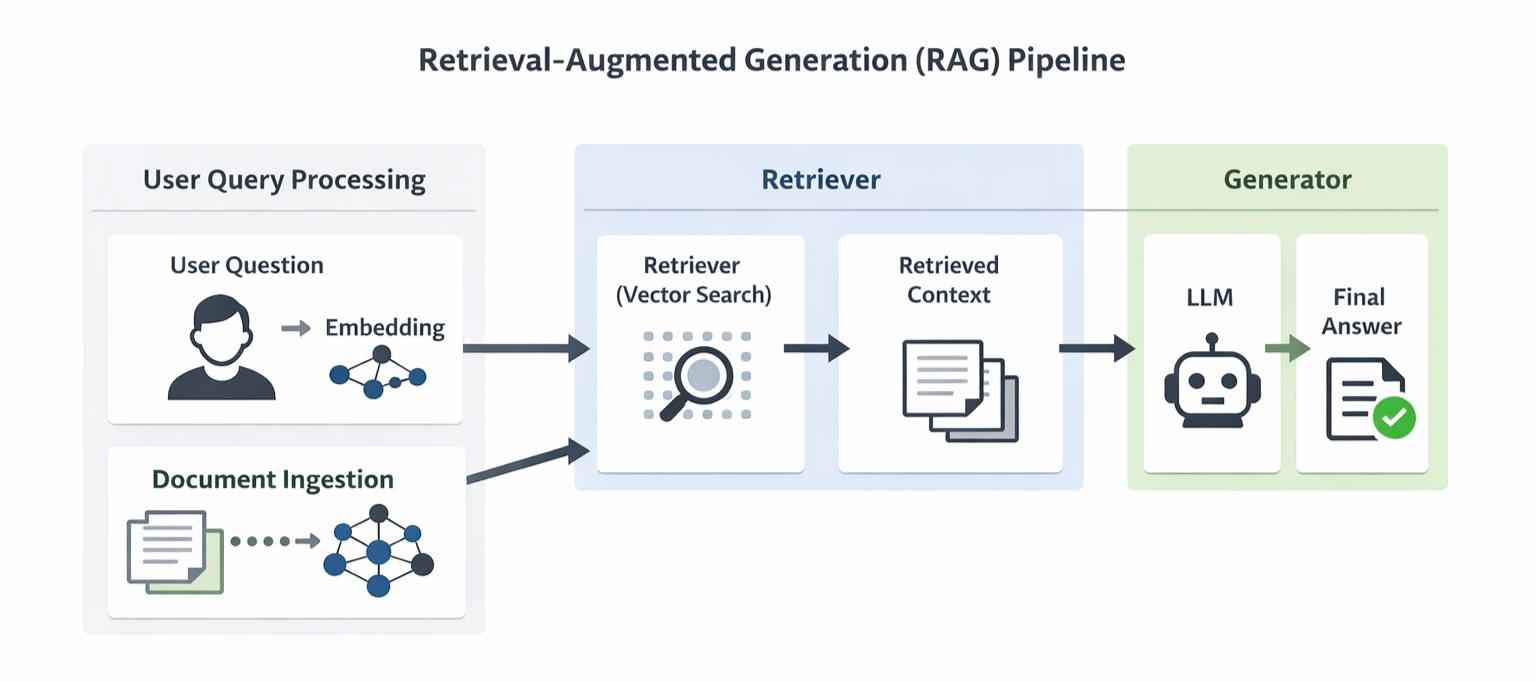
Document Ingestion
The first step in a RAG system is preparing the documents so the system can use them.

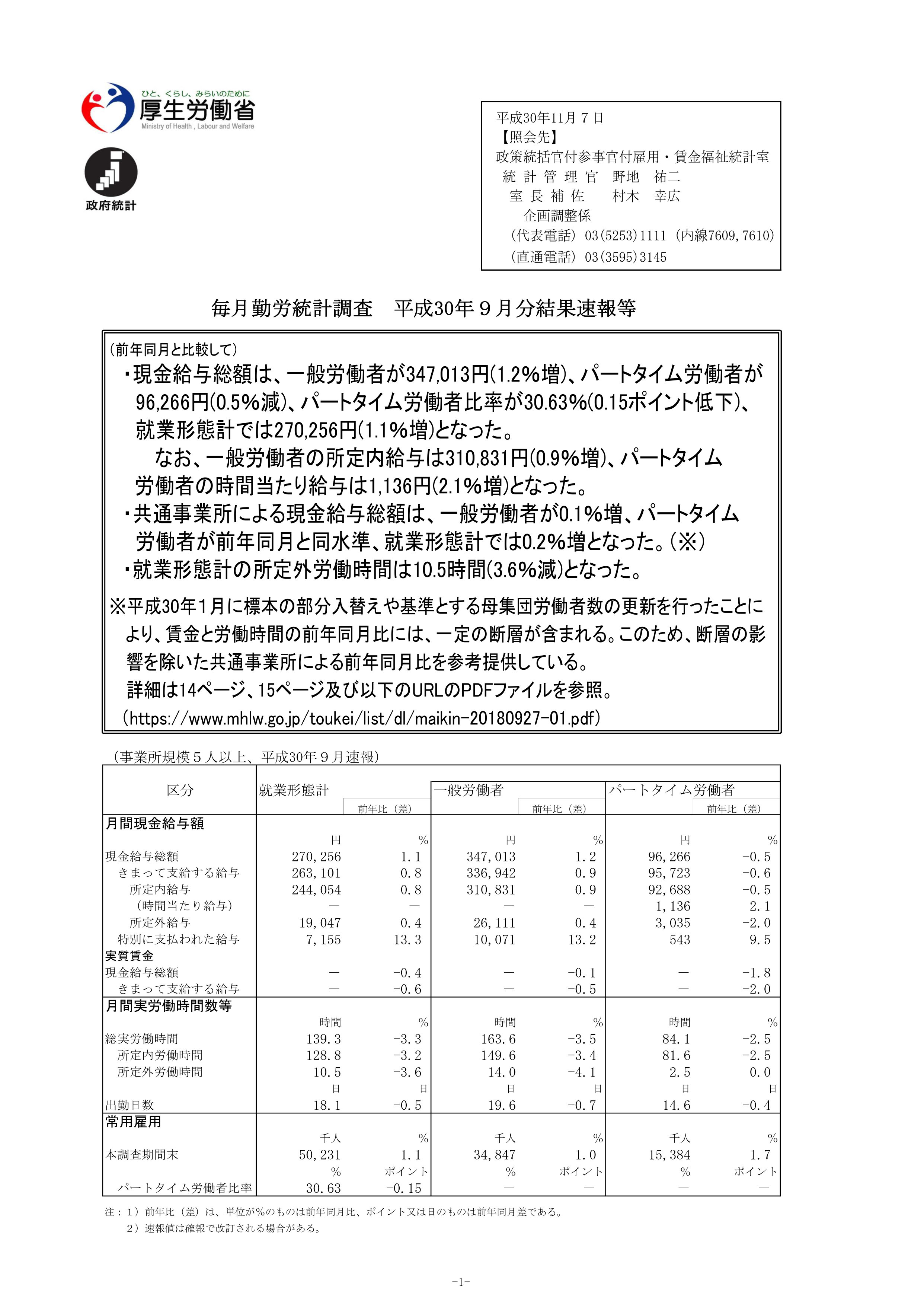
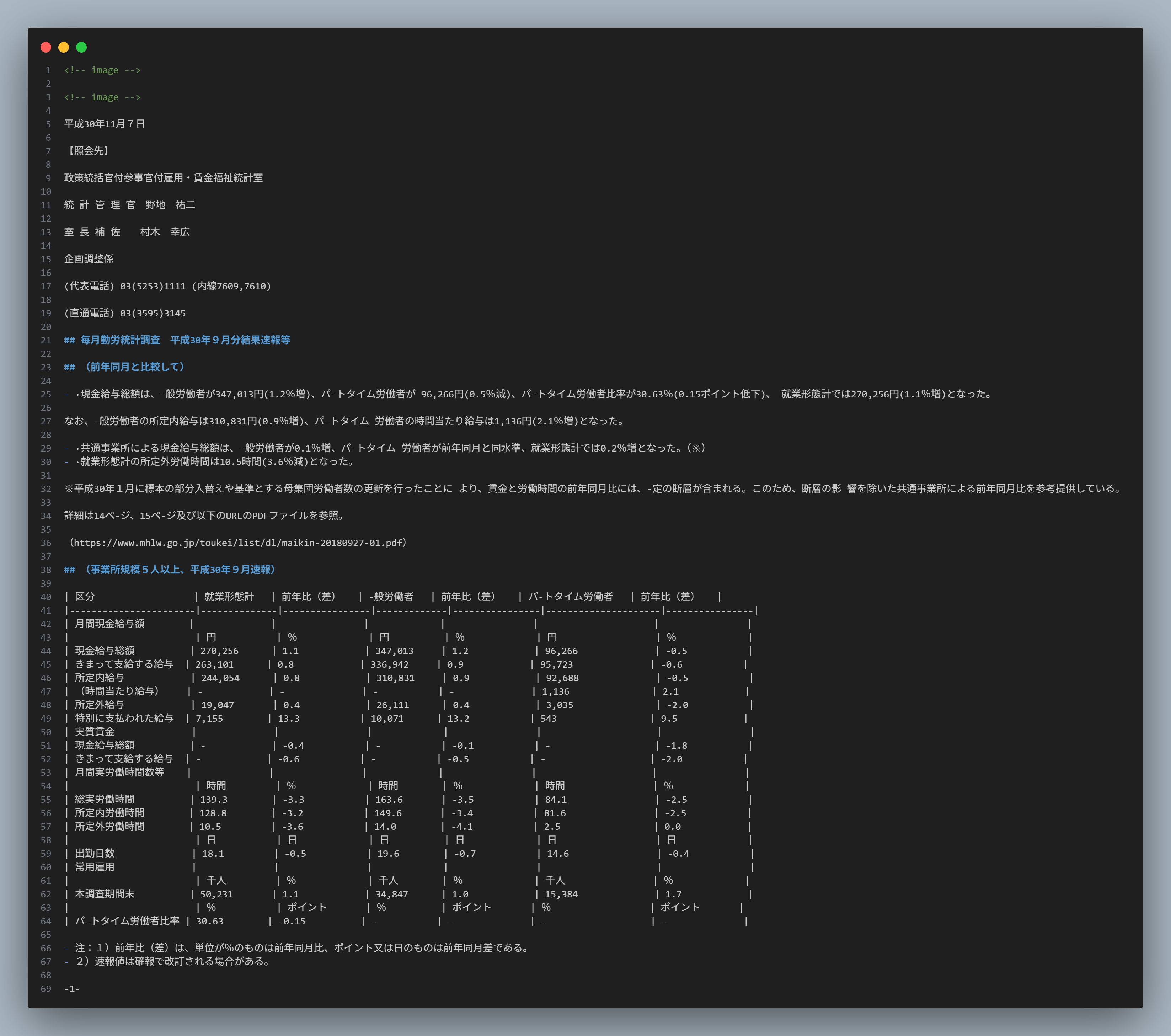
Document Parsing
The main job of a parser is to extract text from documents such as PDFs, Word files, or HTML pages. Currently, many tools support this: Docling (Python), Langchain Document Loader (Python/TypeScript), Apache Tika (Java), etc.
Text chunking
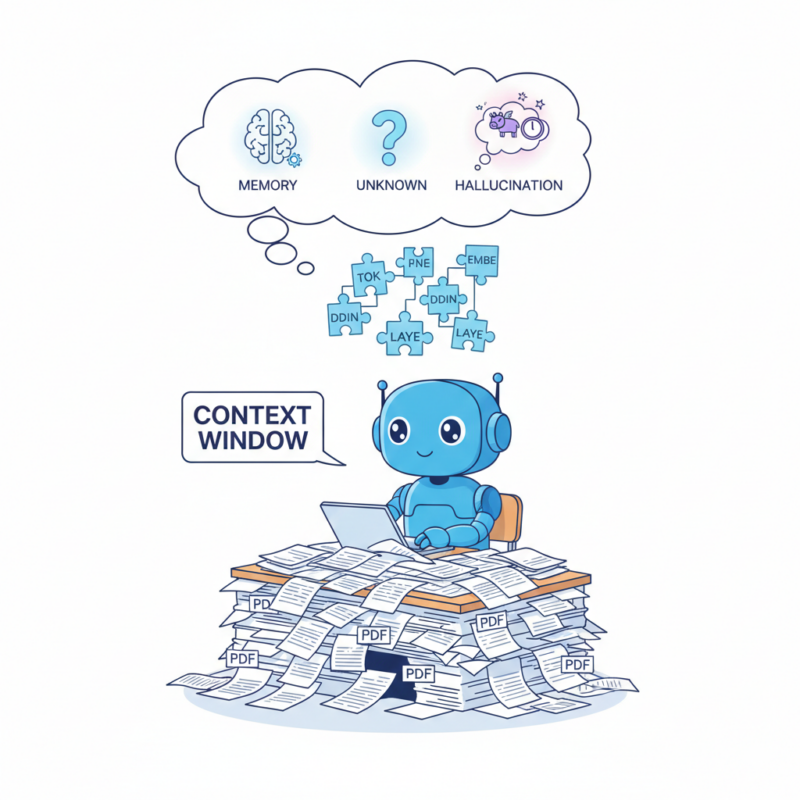
At its most basic, we can segment by chunk size. Why do we need to chunk? LLMs have a limited context window and cannot process an entire document at once. Just as we can't remember the entire contents of a file.
For example, a chunk size of 100 means splitting the document into smaller chunks of 100 characters each. More complex methods involve segmenting based on the document's structure and layout.
In practice, chunking strategies may vary depending on the document structure and the context window of the language model.
Document
┌───────────────────────────────┐
Employee Handbook
Employees must reset their passwords every 90 days.
Passwords must contain at least 8 characters.
Two-factor authentication is recommended.
└───────────────────────────────┘

                ↓
            Text Chunking

Chunk 1                  Chunk 2                  Chunk 3
┌────────────────┐   ┌────────────────┐   ┌────────────────┐
Employees must   │   │Passwords must  │   │Two-factor      │
reset passwords  │   │contain at      │   │authentication  │
every 90 days    │   │least 8 chars   │   │is recommended  │
└────────────────┘   └────────────────┘   └────────────────┘
Embedding
Since machines process numbers rather than raw text, we have to convert letters into numbers for them. Embedding is the process of converting text into vectors using an embedding model. These vectors allow the system to measure semantic similarity between the user query and document chunks.
Chunk 1
"Employees must reset their passwords every 90 days."
↓
Embedding
[0.21, -0.33, 0.81, 0.45, -0.12, ...]
Vector Database
After the embeddings are generated, they are stored in a vector database. Unlike traditional databases that store structured data, vector databases are designed to store vector representations and efficiently perform similarity searches. Once all document chunks are stored in the vector database, the system is ready to retrieve relevant information when a user asks a question.
Retrieval
This is the core of RAG technology. Instead of searching text traditionally, the system searches for document vectors that are closest to the query vector of the user query.

Query Embedding
Similar to the previously vectorized document chunks, when a user submits a question, that question will also be converted into a vector.
Always remember this: both query embedding and chunk embedding must use the same embedding model.
User Question:
How often should employees reset their passwords?

↓
Embedding
[0.18, -0.41, 0.72, ...]
Vector Search
To put it simply, imagine that all document embeddings are points in a multi-dimensional space. When a user asks a question, the query is also converted into a vector and placed in the same space. The system then searches for document vectors that are closest to the query vector.
But what do we mean by “closest”?
In practice, similarity between vectors is measured using mathematical metrics such as cosine similarity or dot product. These metrics help the system identify document chunks that are semantically similar to the user's question.
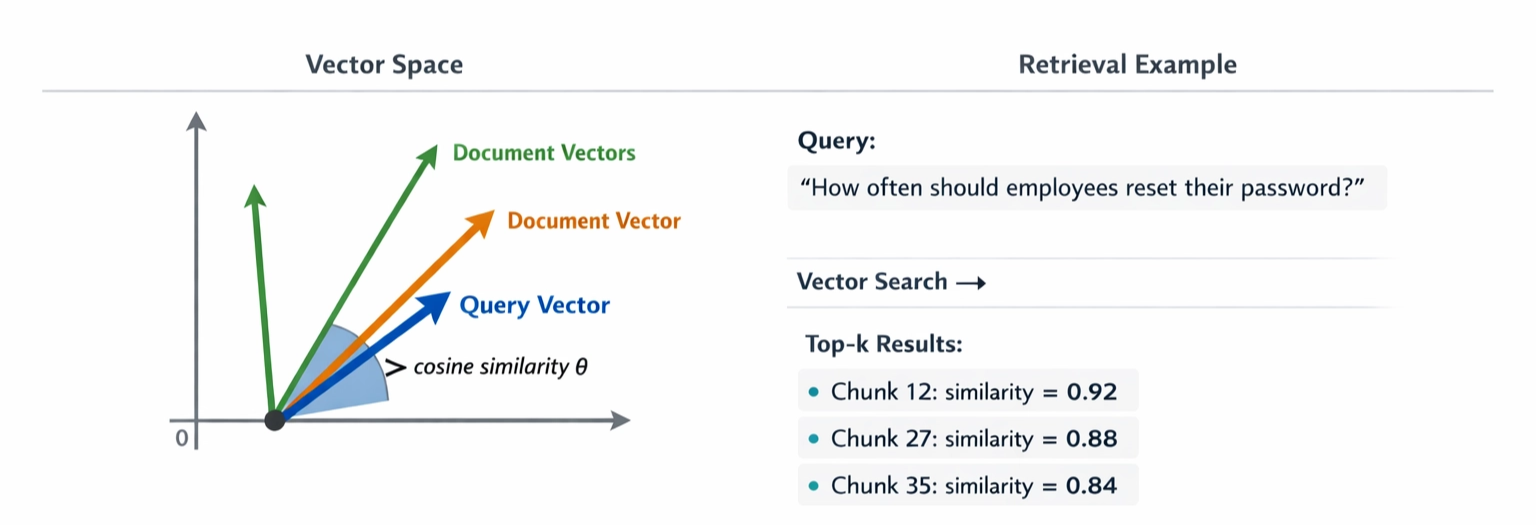
Top-k Relevant Chunks
The top-k retrieved chunks are then combined and sent to the LLM as context. The exact value of k can vary depending on the system and the model’s context window.
In simple terms, the system gives the model relevant pieces of text and asks it to answer the question based on that information.
Query:
"How often should employees reset their passwords?"

↓

Top-k Retrieved Chunks

┌──────────────────────────────┐
Chunk 12
Employees must reset passwords
every 90 days.
└──────────────────────────────┘

┌──────────────────────────────┐
Chunk 27
Passwords must contain at least
8 characters.
└──────────────────────────────┘

┌──────────────────────────────┐
Chunk 35
Two-factor authentication is
recommended for all accounts.
└──────────────────────────────┘

↓

Context sent to LLM

↓

Answer
Generation
Now it's time to ask this AI a question. This step works similarly to copying text from somewhere, giving it to the AI, and asking, "Hey, what's in here?”
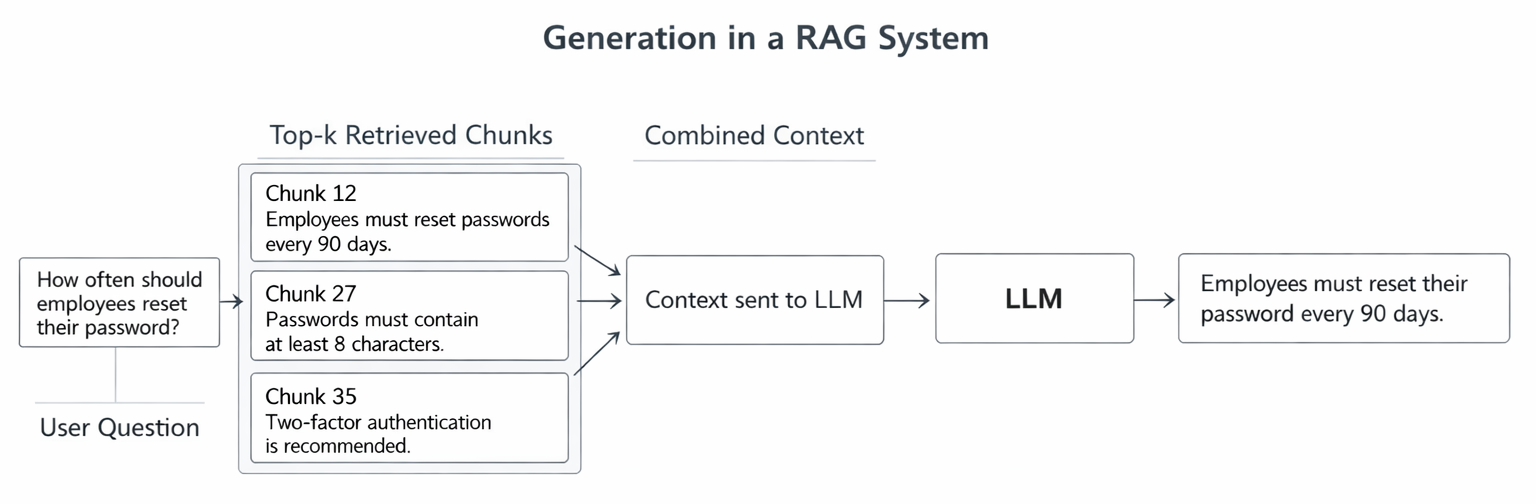
Prompt Construction
Besides the retrieved context, we also need to provide the LLM with a clear instruction. A simple prompt structure usually contains the context, the user’s question, and an instruction telling the model to answer based only on the provided information. Something like this:
You are an assistant who answers questions based on the provided context.

Context:
Employees must reset their passwords every 90 days.
Passwords must contain at least 8 characters.
Two-factor authentication is recommended.

Question:
How often should employees reset their passwords?

Answer:
LLM will automatically fill in the answer.
Context - Question - Answer Generation
This is the final step of the RAG process. This step is simple: after the LLM receives the prompt and context, it uses that information to answer the question. This process helps reduce hallucinations by grounding the answer in retrieved documents. commonly seen in LLMs.
However, there is one important thing to note. The accuracy of the answer depends on two factors:
- Was the previous document search step correct? If you give it the wrong information, of course, it will give the wrong answer.
- Is LLM strong enough? Even large models have a limited context window, so the system must carefully choose how many chunks to include.
Key Takeaways
- Retrieval-Augmented Generation (RAG) enables LLMs to answer questions using external documents rather than relying solely on training data.
- The documents must undergo a process of being received and encoded as vectors before they can be used.
- A vector database is where vectors are stored and searched.
- When a user asks a question, the system retrieves the most relevant document segments within the database.
- The retrieved chunks are then combined into context and sent to the LLM to generate the final answer.
What’s next?
In this article, we walked through the basic pipeline of a RAG system — from document ingestion to answer generation.
In Part 2 - Running a RAG system locally, I’ll share what happened when I tried to run a RAG system locally, including the tools I used and some practical limitations I encountered during development.
This article is part of a technical blog series from ISB Vietnam, where our engineering team shares practical insights and lessons learned from real-world projects.
References
https://www.mhlw.go.jp/toukei/itiran/roudou/monthly/30/3009p/3009p.html