Google Apps Script (GAS) can transform your work. It helps you replace traditional Excel-based workflows by turning Google Sheets into a powerful task management system.
Currently, many teams struggle with task management. Often, tasks get assigned but no one knows who is doing what. Consequently, reports take hours to compile. Moreover, repetitive follow-ups drain your time and lead to human error.
What if you could turn Google Sheets into a real task management system? You can do this without building a complex backend.
This is exactly where this serverless platform becomes a game changer. So, let’s explore how it works in a real business case.
Live Demo: Automating Workflows with GAS
Instead of just reading code, let’s look at a system in practice. In particular, this solution uses automation to keep your operations smooth and fast.
1. Create Tasks and Email Alerts Automatically
First, you can create a new task using a simple web interface. Once you submit it, the task saves to Google Sheets instantly. The system also sends an email alert to the assignee. So, your team can take action immediately.Furthermore, the system sends an email alert to the assignee. As a result, your team can take action immediately.
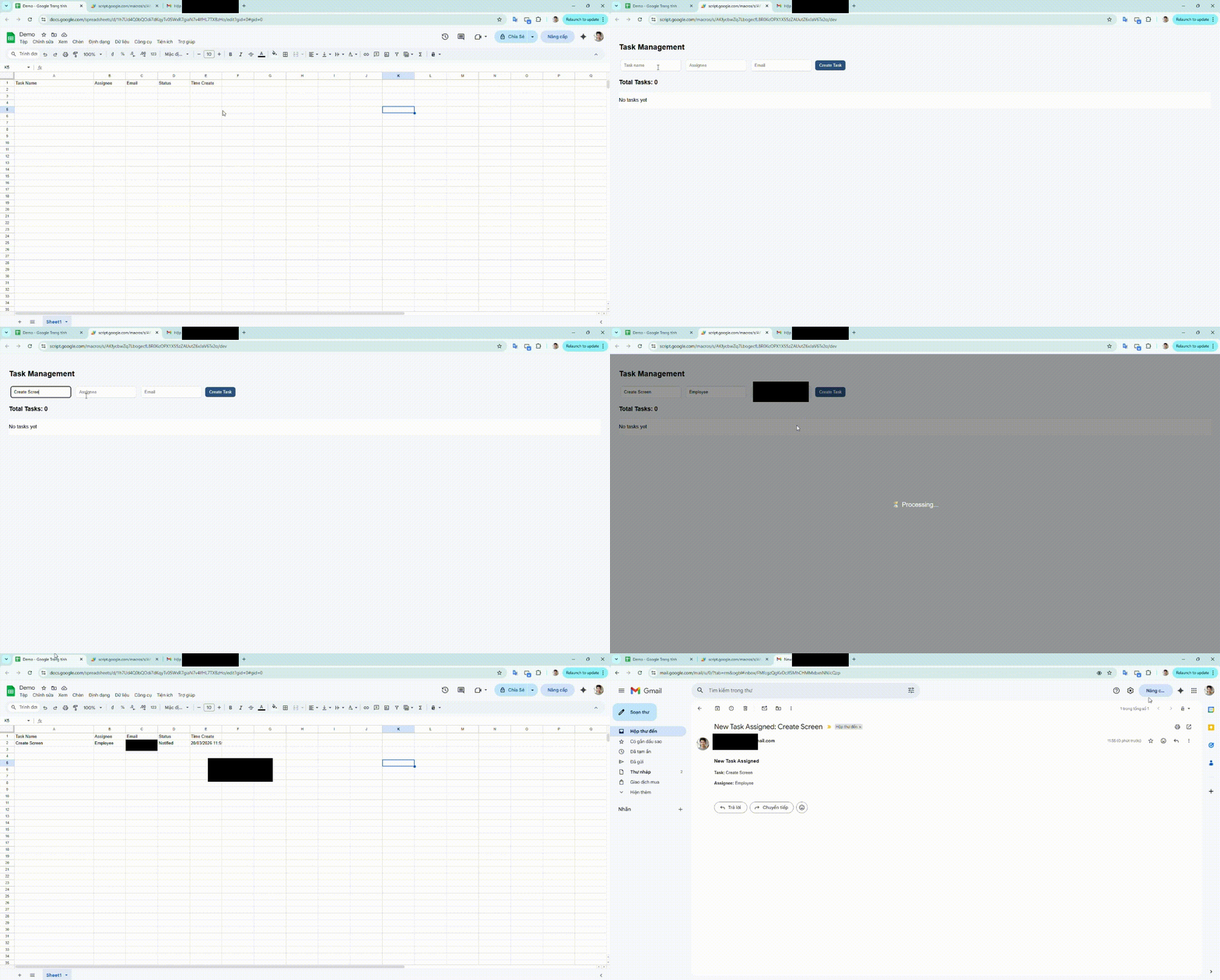
Creating a new task and triggering email notification using GAS
2. Real-Time Data Syncing with Google Apps Script
You can also edit tasks through a clean UI. As soon as a task is updated, the system syncs changes across the sheet. At the same time, the script notifies the user so everyone stays aligned.
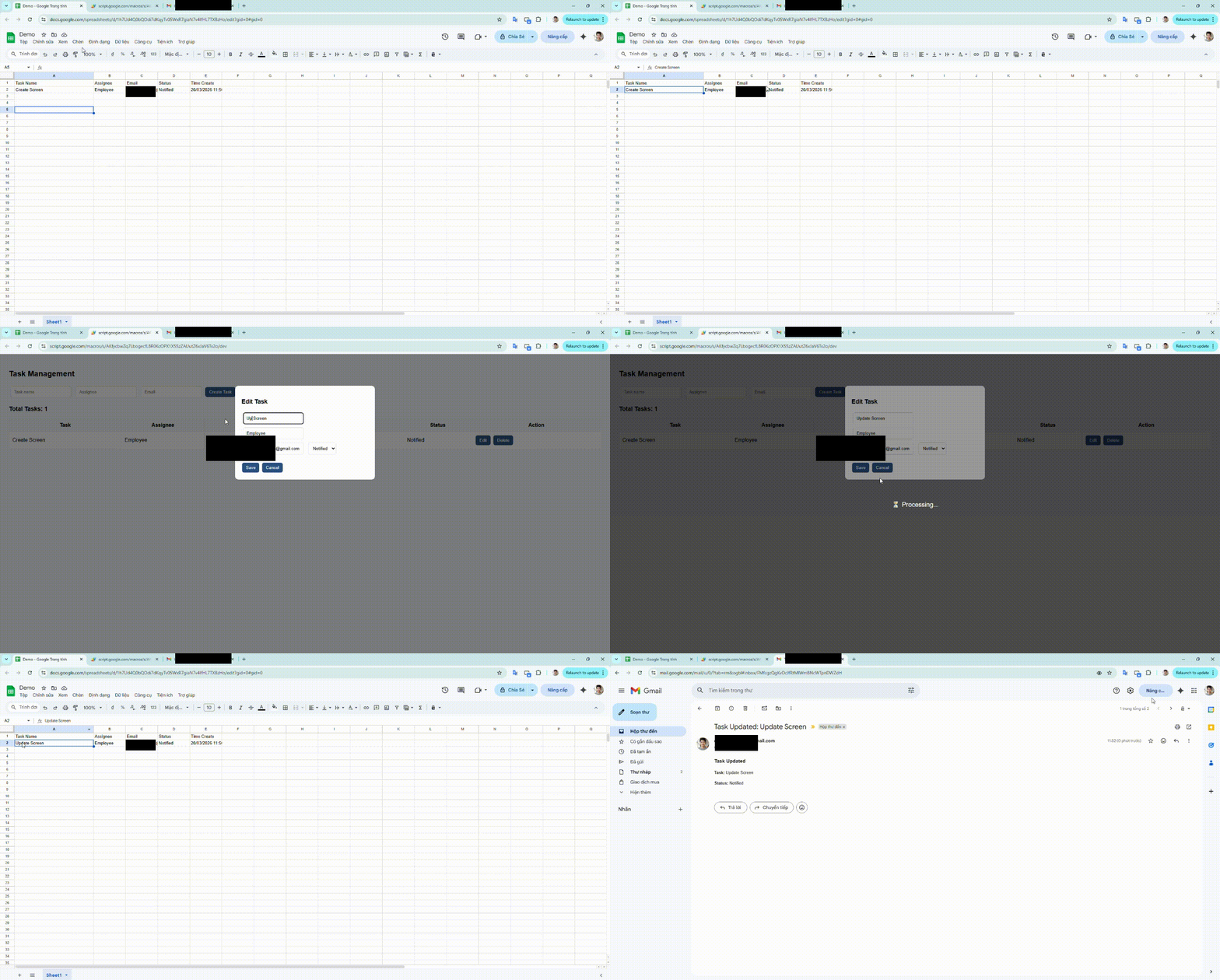
Updating task information with real-time sync and notification
3. Effortless Deletion and Status Tracking
Finally, when a task is no longer needed, you can remove it instantly. To ensure total transparency, the GAS system sends a final notification. Thus, the workflow remains clean and updated without manual work.
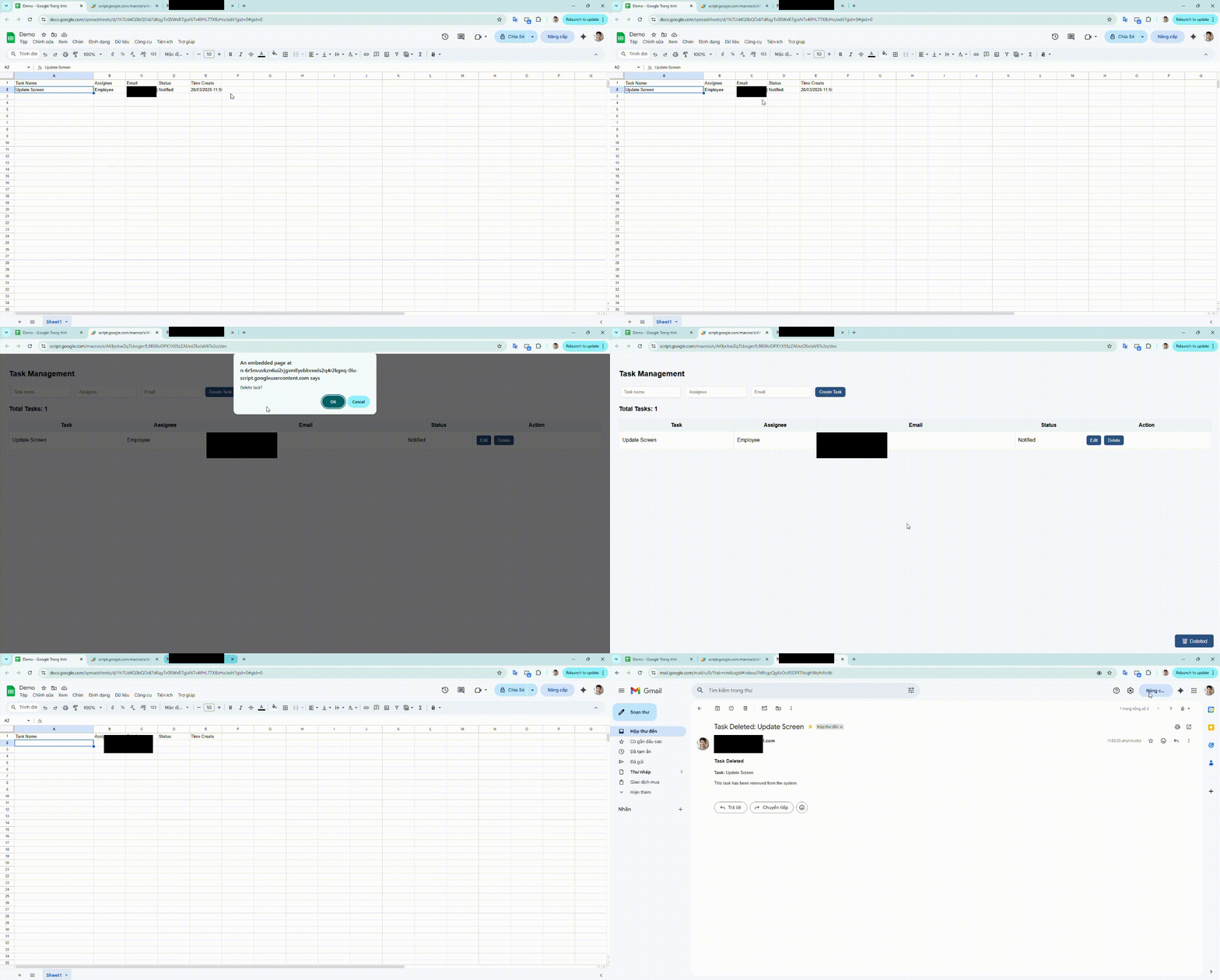
Automatically email employee upon task deletion
⚡ Built in under 1 hour. No backend. No database setup.
What is Google Apps Script (GAS)?
Essentially, GAS is a serverless JavaScript platform. It allows you to build applications on top of Google Workspace. In simple terms, you write code to control tools like Sheets, Gmail, and Drive.
You do not need to set up a backend server. Because it runs on Google's infrastructure, the setup is very fast. For instance, you can use this technology to:
- Send emails automatically based on custom triggers.
- Generate automated reports from raw data.
- Create internal tools for your specific team needs.
- Moreover, you can build simple web apps.
Think of GAS as: a lightweight backend inside the Google ecosystem.
Why Your Business Needs Google Apps Script Automation
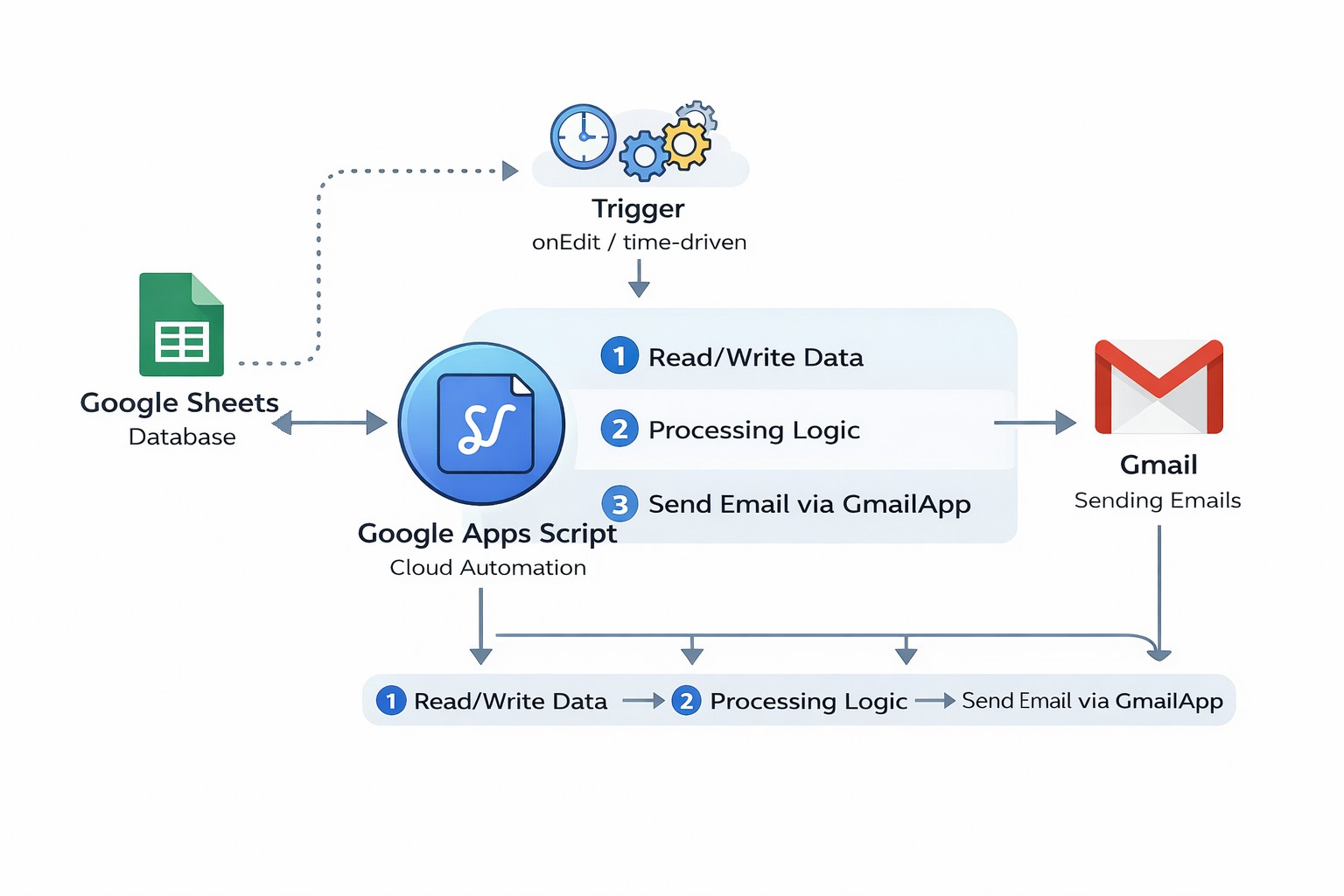
Typical automation workflow
The main reason to use GAS is its seamless integration. It runs entirely on Google’s infrastructure. So, you do not need to manage servers. You can also build tools without traditional DevOps overhead. This saves your team hundreds of hours.
Key benefits include:
- No server setup or maintenance required.
- Built-in authentication with Google accounts.
- Direct access to Google services APIs.
- Consequently, it is perfect for internal tools.
Case Study: Managing Tasks with GAS
Imagine you are managing a team using Sheets and emails. However, tasks often get lost in the chat. But with a custom script, you can build a single source of truth for the whole team.
Specifically, this approach allows you to:
- Track all tasks in real-time through a dedicated UI.
- Additionally, notify team members automatically.
- Maintain a reliable database for future reporting.
In other words: You just turned a standard spreadsheet into a professional management tool.
Technical Breakdown: Building a Task Manager with Google Apps Script
If you're a developer, here's a simplified version of the logic. Note how the code handles both data entry and communication seamlessly:
function addTask(data) {
  const sheet = SpreadsheetApp.openById("YOUR_SHEET_ID").getSheets()[0];

  sheet.appendRow([data.task, data.assignee, data.email, "New", new Date()]);

  MailApp.sendEmail({
    to: data.email,
    subject: `New Task: ${data.task}`,
    htmlBody: `You have a new task assigned`
  });
}
Ultimately, the possibilities with GAS are endless. For example, you can add update workflows or integrate with external APIs.
At our company, we build custom internal tools — tailored exactly to your business workflows.
Technical validation: This article and code examples have been reviewed by senior developers at ISB Vietnam.
Conclusion: Why GAS is a Powerful Automation Tool
In conclusion, Google Apps Script is a powerful tool for businesses. It is also one of the fastest ways to build internal tools. It allows you to build apps without managing infrastructure. Whether you are building an MVP or an automation, it can save you weeks of work. Thus, start using it today.
References
- Google Apps Script Documentation: https://developers.google.com/apps-script
- Spreadsheet Service: https://developers.google.com/apps-script/reference/spreadsheet
- Gmail Service: https://developers.google.com/apps-script/reference/gmail
- Web Apps Guide: https://developers.google.com/apps-script/guides/web
- Triggers Guide: https://developers.google.com/apps-script/guides/triggers
- Images from Gemini