

In the modern world of application development, the management and storage of unstructured data such as images, videos, log files, etc. plays an increasingly important role. Amazon S3 (Simple Storage Service) has become a standard for cloud object storage services due to its stability, scalability, and ease of use.
However, when developing and testing applications locally, interacting directly with S3 sometimes causes certain inconveniences in terms of cost, latency, and resource management. That's why MinIO was born — an open-source, high-performance object storage solution designed to be fully compatible with the Amazon S3 API.
What is MinIO?
- MinIO is an object storage server built on Go. It features the following:
S3 Compatibility: MinIO implements nearly the entire Amazon S3 API, allowing applications that are already designed to work with S3 to easily integrate with MinIO without significant code changes. - High Performance: Optimized for performance, MinIO can achieve impressive read/write speeds, suitable for bandwidth-intensive workloads such as AI/ML, data analytics, and backup.
- Scalability: MinIO supports a distributed mode architecture, allowing you to easily expand storage capacity and performance by adding new nodes to the cluster.
- Lightweight and Easy to Deploy: With its compact size and ability to run on multiple platforms (Linux, macOS, Windows) as well as in Docker containers, MinIO is convenient for local development, testing, and deployment across different environments.
- Open Source: Released under the Apache License v2.0, MinIO offers high flexibility and customizability to users.
Why should programmers use MinIO to emulate S3?
- Easy local development and testing: You can quickly set up a simulated S3 environment on your PC or development server.
- Cost savings: Avoid the overhead of constantly interacting with real S3 during development and testing.
- Full control of the environment: You have complete control over MinIO's data and configuration, making it easy to reproduce failure scenarios and test.
- Speed up development: Accessing data locally is often faster than connecting to a remote cloud service, speeding up development and testing.
Instructions for installing MinIO using Docker Compose
Step 1: Install Docker and Docker Compose (if you haven't already)
If you haven't installed Docker, visit the official page https://www.docker.com/get-started/ to download and install it for your operating system.
Step 2: Create a docker-compose.yaml file
Create a file named docker-compose.yaml with the following content:
|
version: "3.8" services: |
Step 3: Launch MinIO
Open a terminal and run the following command in the directory containing docker-compose.yaml:
| docker-compose up -d |
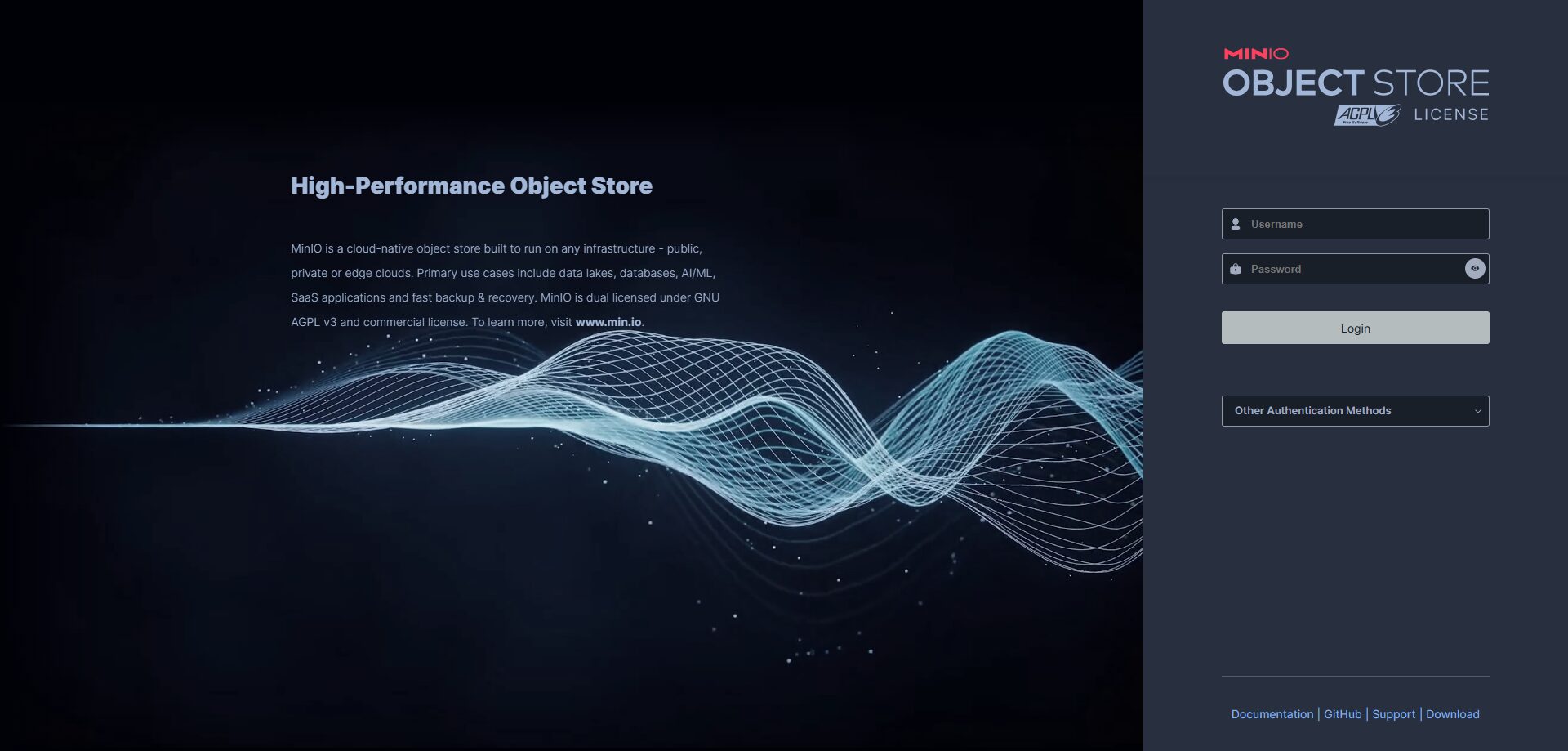
Step 4: Access the browser using the following link: http://localhost:9001
Use the accesskey and secretkey you set in step 2 to log in.
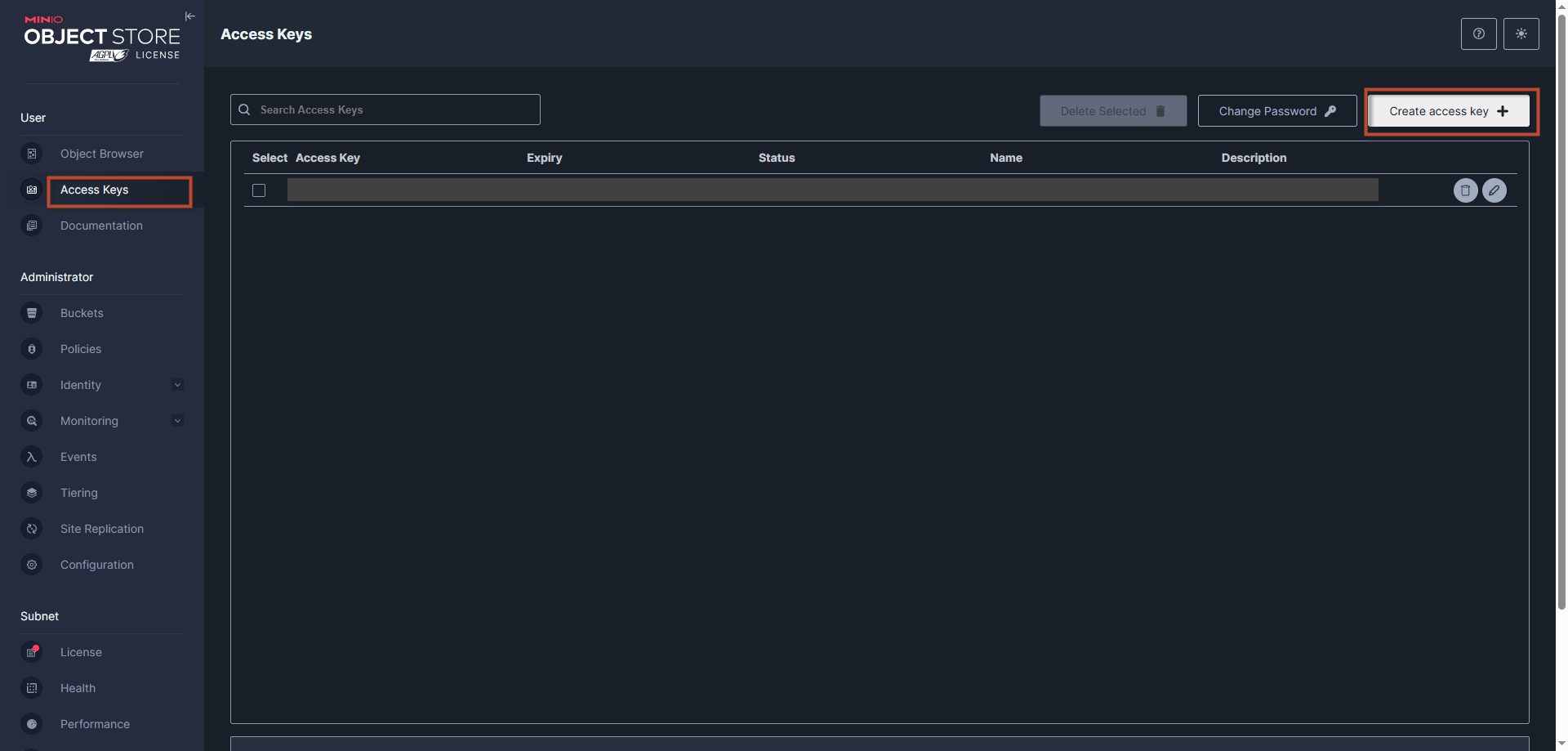
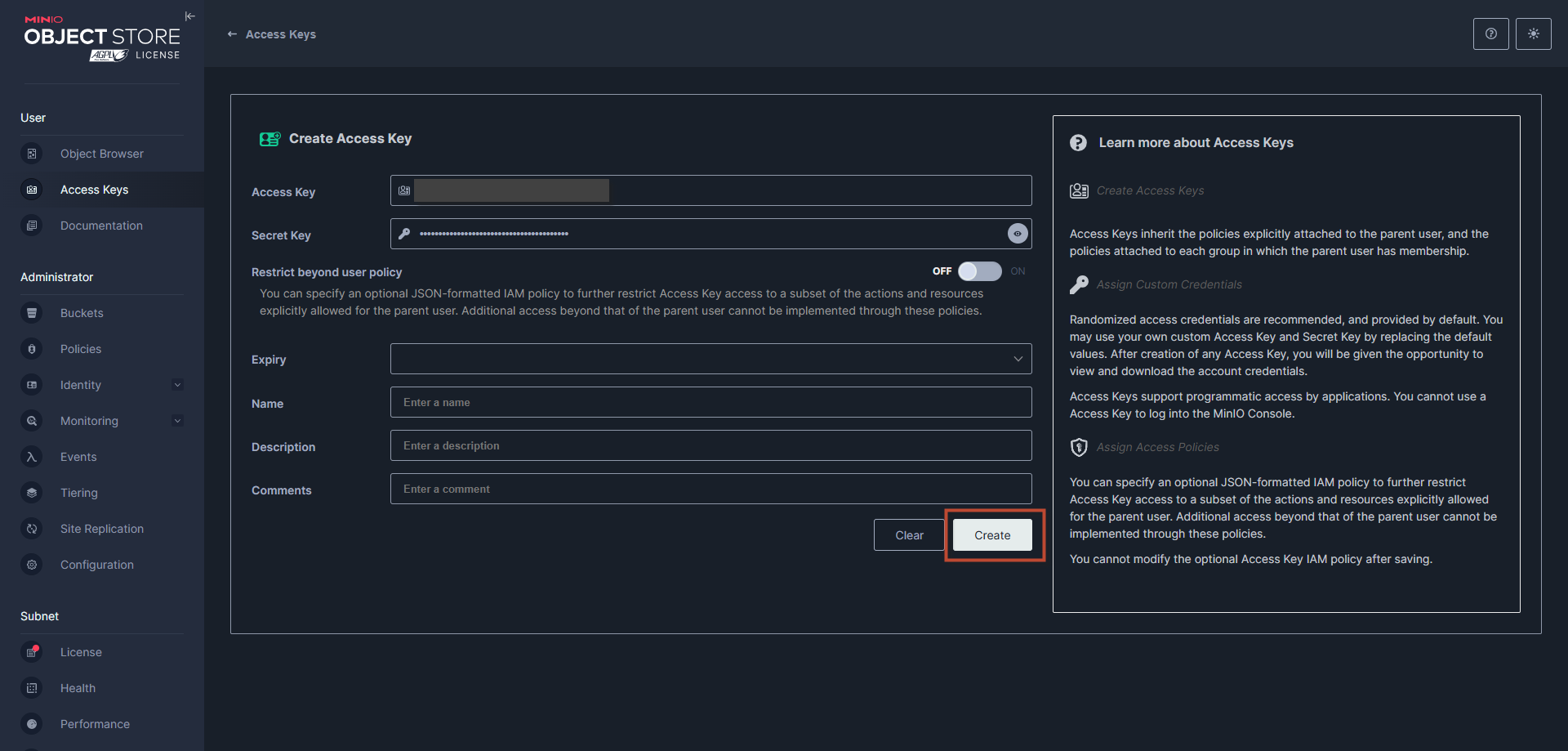
Step 5: Create an access key and secret key to be able to connect from the web to Minio.
Please save the access key and secret key as they are only visible when you create them.
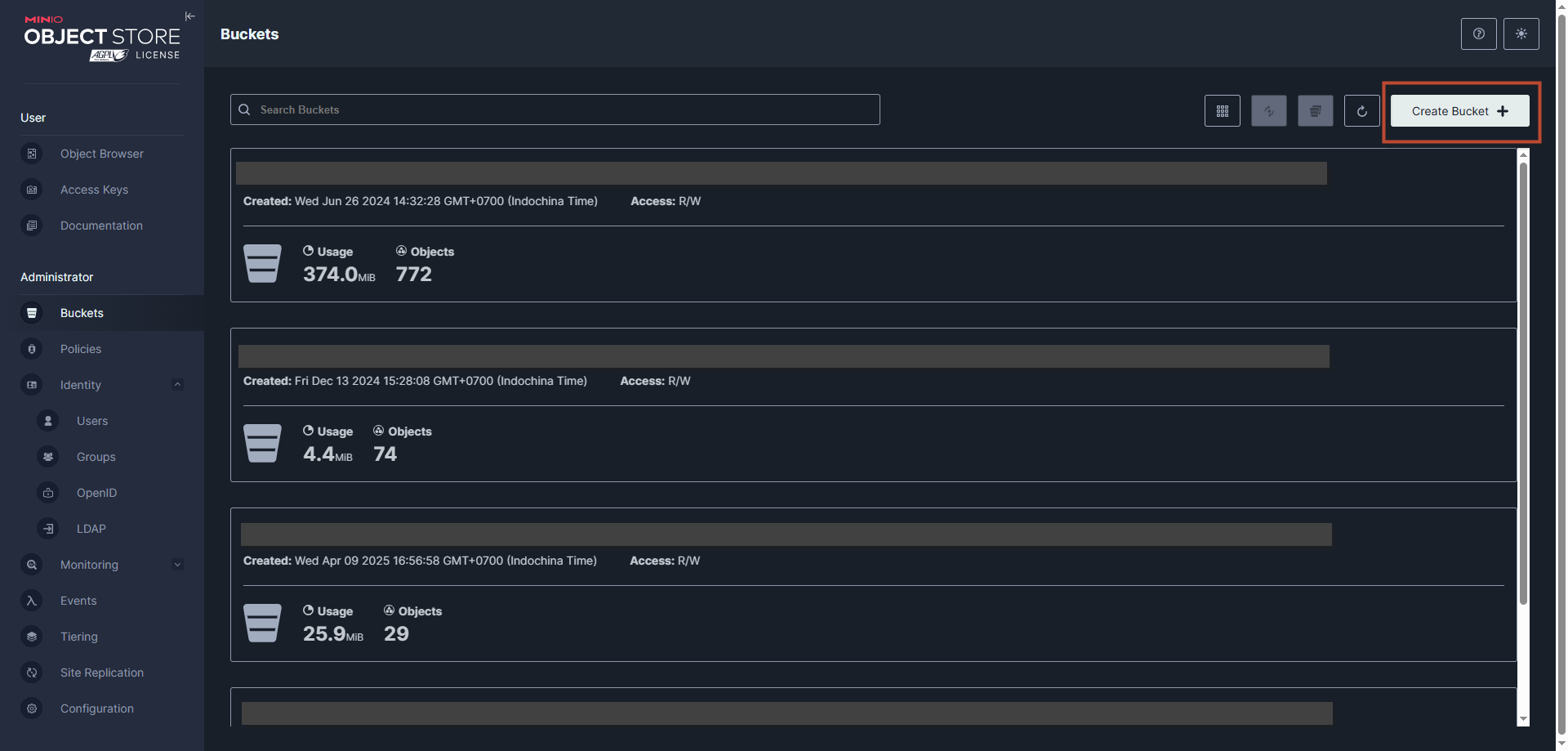
Step 6: Create a bucket.
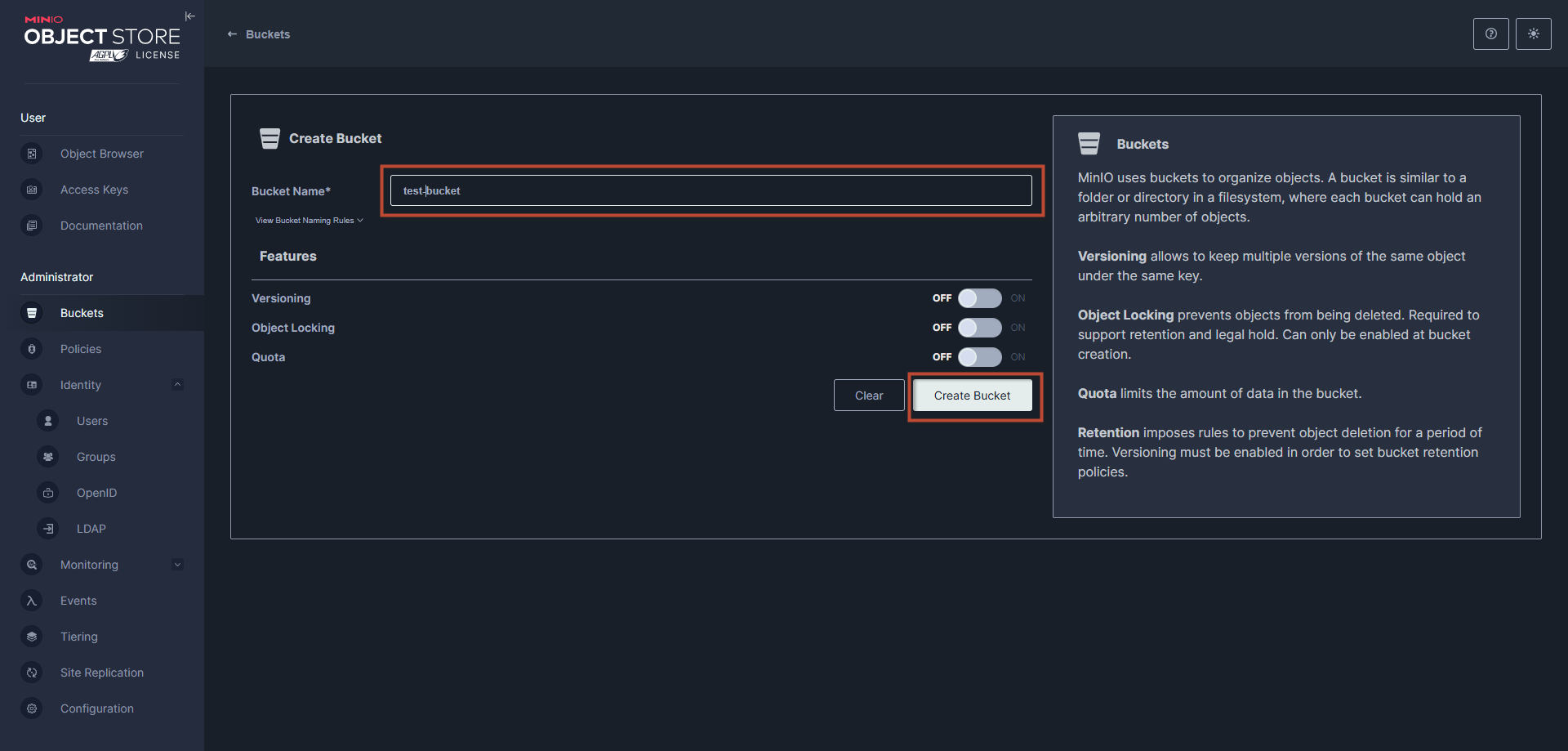
After creating the bucket, Minio also allows you to customize the policy, similar to S3.
Select custom and customize according to your needs.
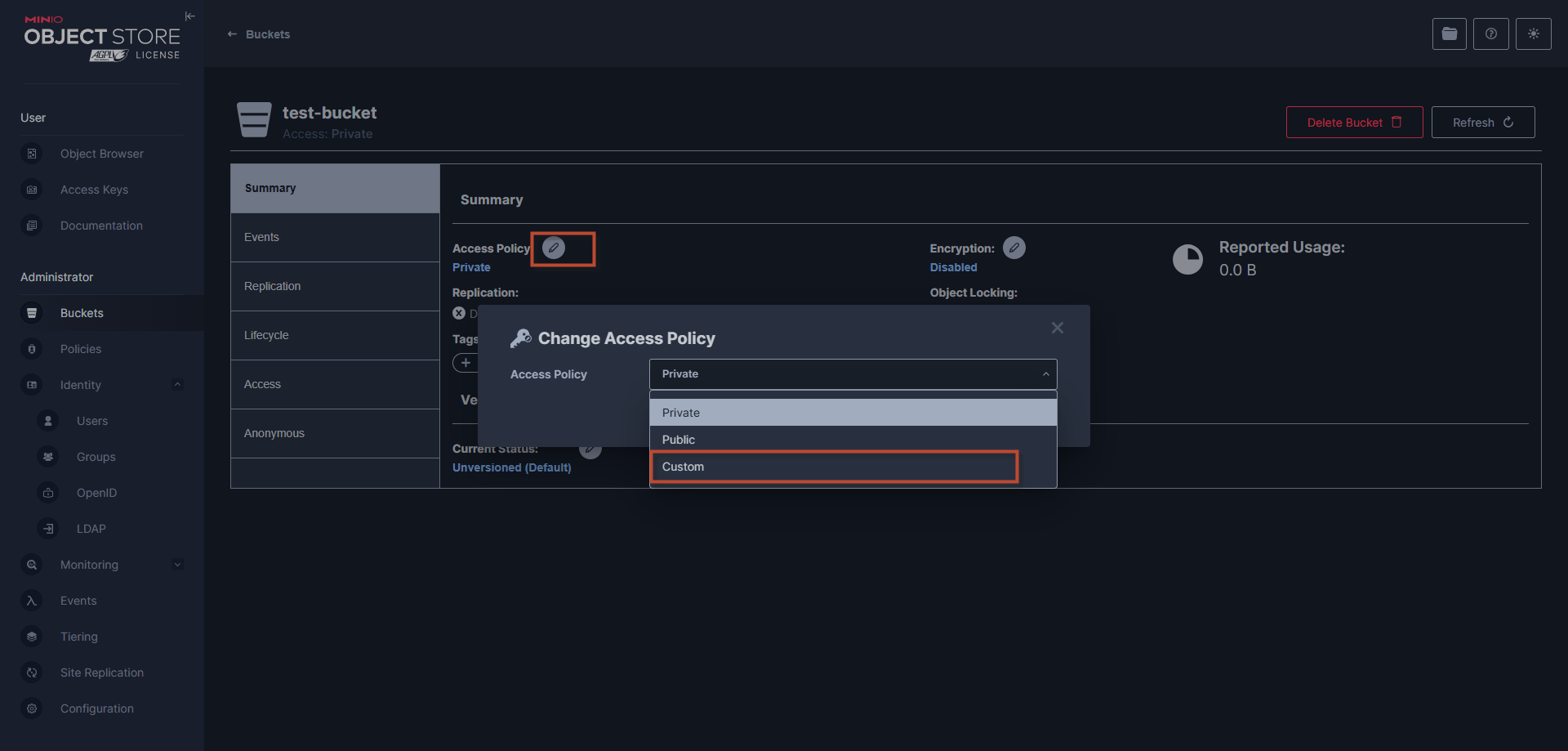
So, you have installed Minio to simulate the S3 environment, now you can perform interactions with Minio similar to operations with S3 to perform development and testing.
Conclusion
MinIO is a powerful and flexible tool for developers who want to emulate a local Amazon S3 environment. Installing and using MinIO with Docker Compose simplifies the setup process while ensuring that data is persistent and easy to maintain. Hopefully, this guide will help you get started exploring and making the most of the features MinIO offers in your software development.
Whether you need scalable software solutions, expert IT outsourcing, or a long-term development partner, ISB Vietnam is here to deliver. Let’s build something great together—reach out to us today. Or click here to explore more ISB Vietnam's case studies.
[References]
- https://www.freepik.com/free-vector/isometric-server-room-concept-servers-rack_2910229.htm#fromView=search&page=2&position=6&uuid=6803e925-bf57-49cd-8ba3-9ca7e02c6a2e&query=s3+storage (Image link).
- https://min.io/docs/minio/kubernetes/upstream/index.html
- https://github.com/minio/minio
- https://hub.docker.com/r/minio/minio


